When your manufacturing business processes thousands of orders and raw material movements, finding one specific receipt or vendor transaction can be like finding a needle in a haystack. That is why Vercos ERP features a Universal Search, Filter & Audit Center.
You can access it at any time by clicking Universal Search Hub on the left navigation menu.
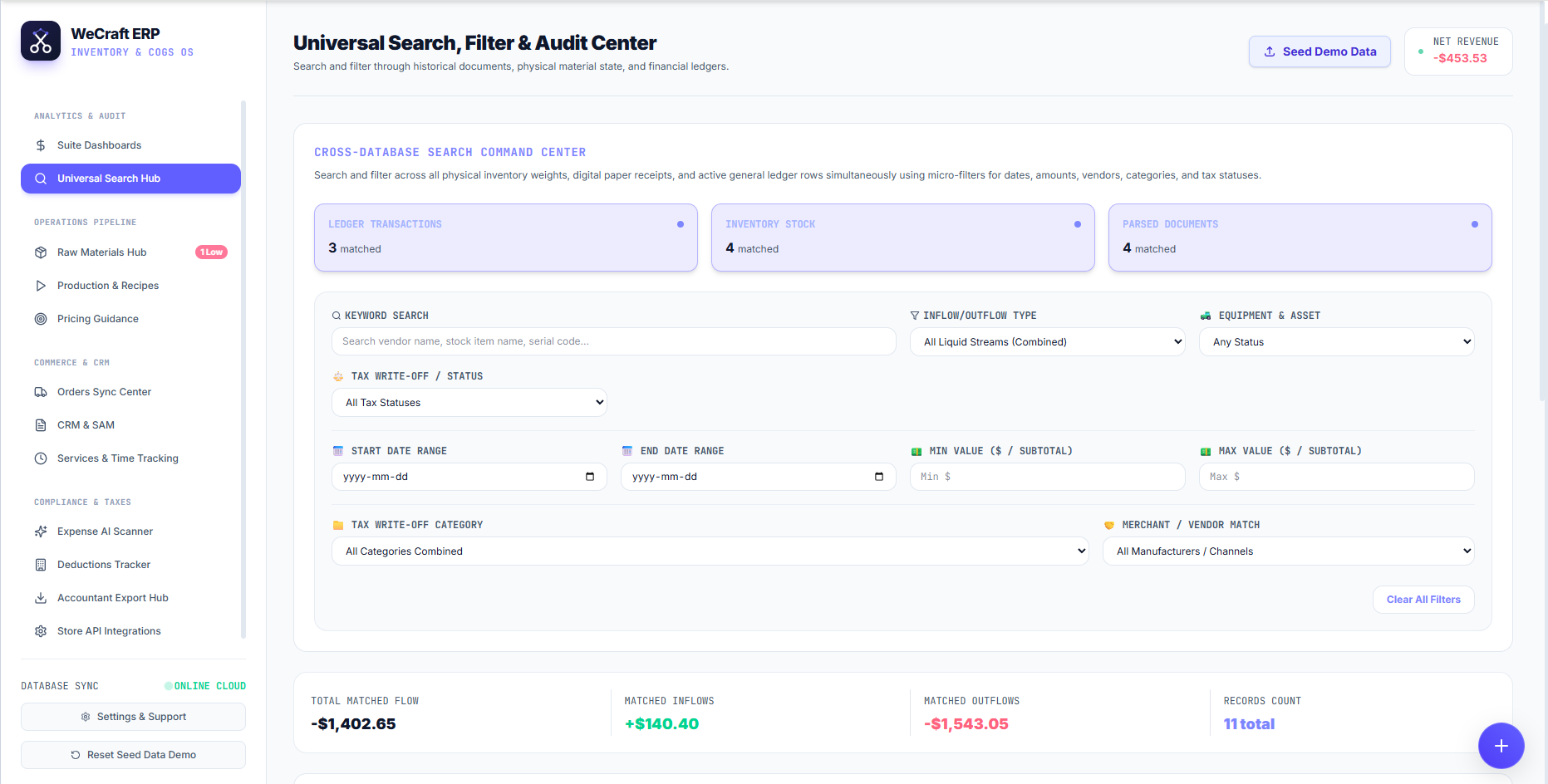
Cross-Database Search Command Center
Unlike standard search bars, the Universal Search Hub queries three distinct databases simultaneously:
- Ledger Transactions: Your financial inflows, outflows, and adjustments.
- Inventory Stock: Your raw materials, work-in-progress, and finished goods.
- Parsed Documents: Any paper receipts or digital invoices you have scanned into the system via the Expense AI Scanner.
When you enter a search term, the top blocks will instantly show you how many matches were found in each database.
Advanced Micro-Filters
You don't need to rely on just keywords. The filtering panel allows you to slice your data using hyper-specific parameters:
- Keyword Search: Type a vendor name, stock item name, or serial code.
- Inflow/Outflow Type: Filter by specific physical material states (e.g., "Liquid Streams").
- Equipment & Asset: Check the status of your capital assets.
- Financial Constraints: Set exact Date Ranges or Minimum/Maximum Values ($).
- Tax Classifications: Filter by Tax Write-Off Status or Write-Off Category.
- Merchant / Vendor Match: Isolate transactions to a specific manufacturer or channel.
Total Matched Flow
As you apply filters, the bottom summary panel updates in real-time. This is an incredibly powerful auditing tool. It aggregates the data of all matching records and displays:
- Matched Inflows: The sum of all matching positive transactions.
- Matched Outflows: The sum of all matching negative transactions.
- Total Matched Flow: The net result of the filtered ledger entries.
- Records Count: The exact number of rows that matched your complex query.
With the Universal Search Hub, you can instantly answer questions like "How much did we spend on soy wax from Supplier X between January and March?" with absolute precision.