Once orders start rolling in from Shopify, Etsy, or manual invoices, you need a streamlined way to get them out the door.
The Central Sync Panel
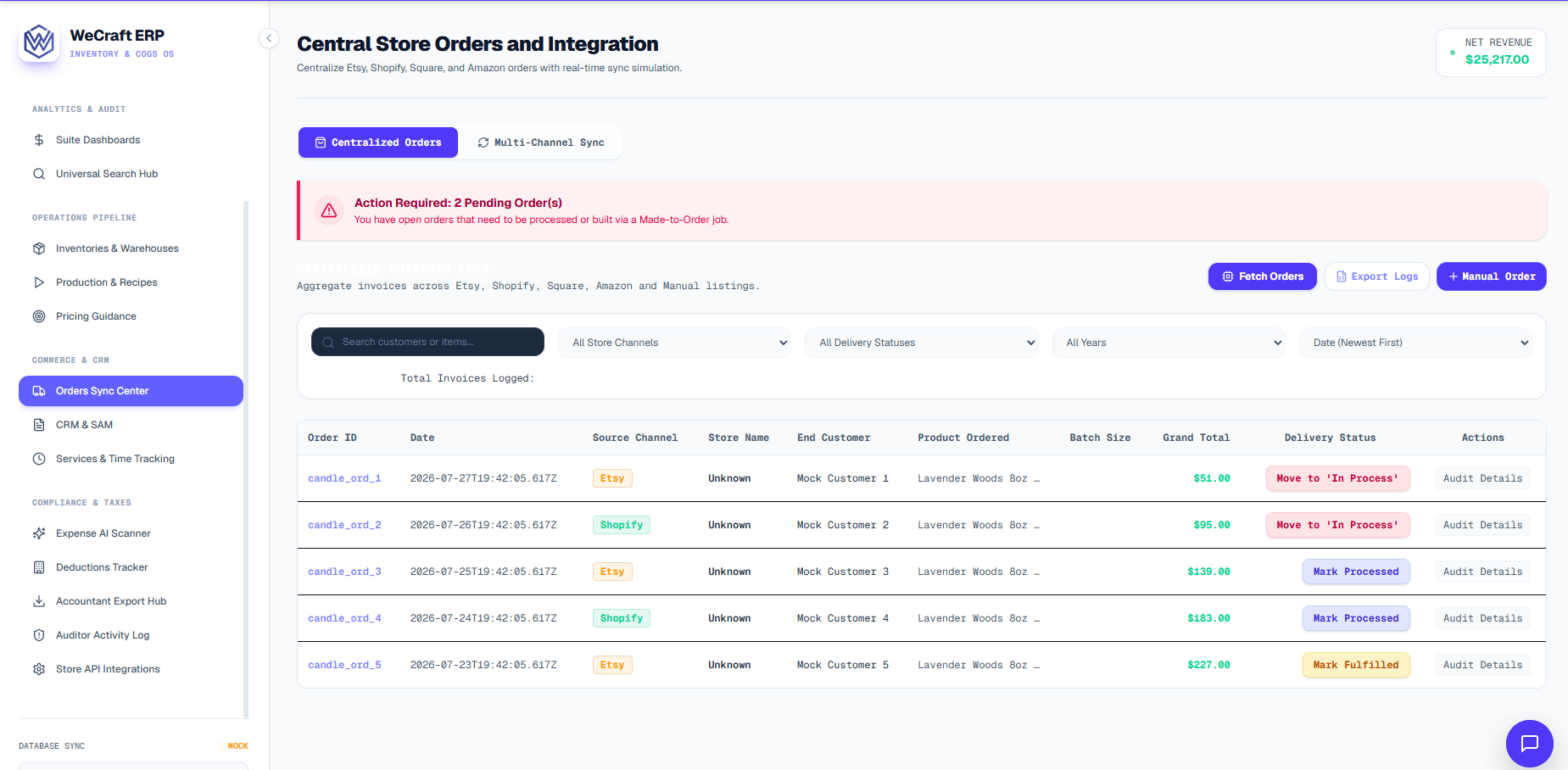
Navigate to Orders to access the Central Sync Panel. This dashboard aggregates all orders across every channel into a single, organized ledger.
- Locate an order with the Processed status.
- Click Mark Fulfilled next to the order.
- A modal will appear. If the product requires serial number tracking, select the specific serial numbers you are shipping.
- Select the outbound warehouse location to deduct the stock from.
- Click Confirm Shipment.
Stock Shortages & Backorders
If you attempt to fulfill or process an order and there is insufficient finished goods stock:
- Vercos will alert you of a stock shortfall.
- The system will prompt you to automatically schedule a new Production Job for the missing units.
- Once the production job is completed on the Production Board, the stock becomes available to finalize fulfillment!