As your manufacturing business scales, you may need to add more team members, connect multiple Shopify stores, or access advanced reporting features.
How to Upgrade
- Click on the Settings gear icon in the navigation bar.
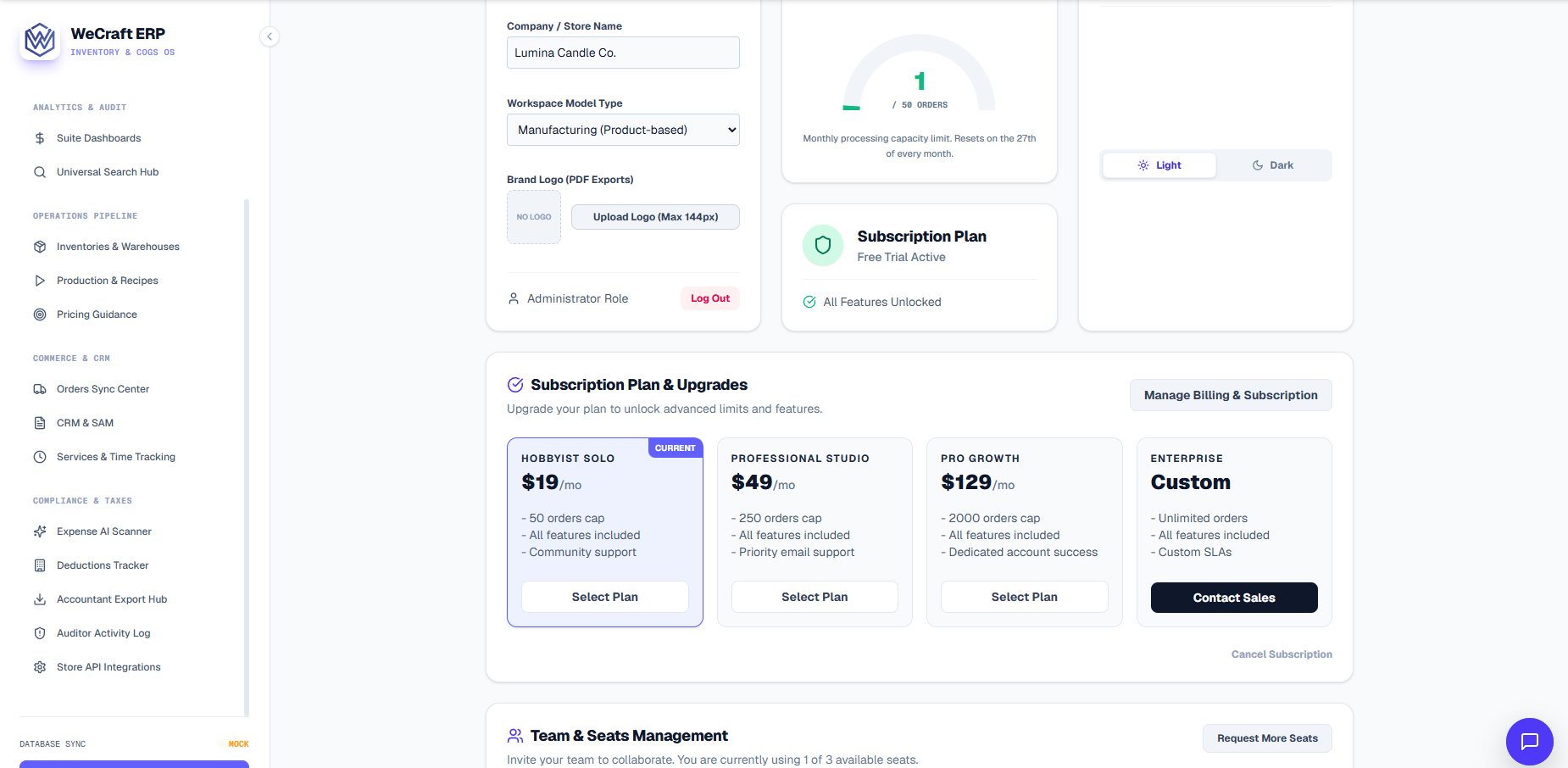
- Scroll to the Subscription Plan section.
- Here you will see your current active plan and its status.
- Click the Manage Billing & Subscription button. This will securely open your customer portal where you can view available upgrade options.
- Select the new plan and confirm your payment method. Upgrades are pro-rated instantly.
Managing Payment Methods
In the same customer portal (via the Manage Billing & Subscription button), you can update the credit card on file. If a payment fails, your account will enter a grace period. During this time, your inventory syncs will pause, but you will not lose any data. Simply update the card to resume normal operations.
Downloading Past Invoices
Need the receipt for your Vercos subscription for your own taxes? In the billing portal, scroll to your Invoice History to download PDFs of your past receipts.