While Vercos ERP excels at physical inventory management, many makers also sell their time and expertise. Whether you are running a candle-making workshop, offering B2B consulting, or charging custom design fees, the Services & Time Tracking module allows you to cleanly separate your service revenue from your physical product sales.
Creating Service Profiles
navigate to Services & Time Tracking in the left sidebar.
To get started, look at the Service Profiles card on the left. Click + Add Service to create a reusable profile. You can configure different rates such as:
- "Introductory Pottery Workshop" (Flat Fee)
- "Wholesale Consulting" (Hourly Rate)
- "Custom Formulation Design" (Flat Fee)
Once configured, these profiles act as non-physical "SKUs" that you can rapidly add to invoices without messing up your physical inventory counts.
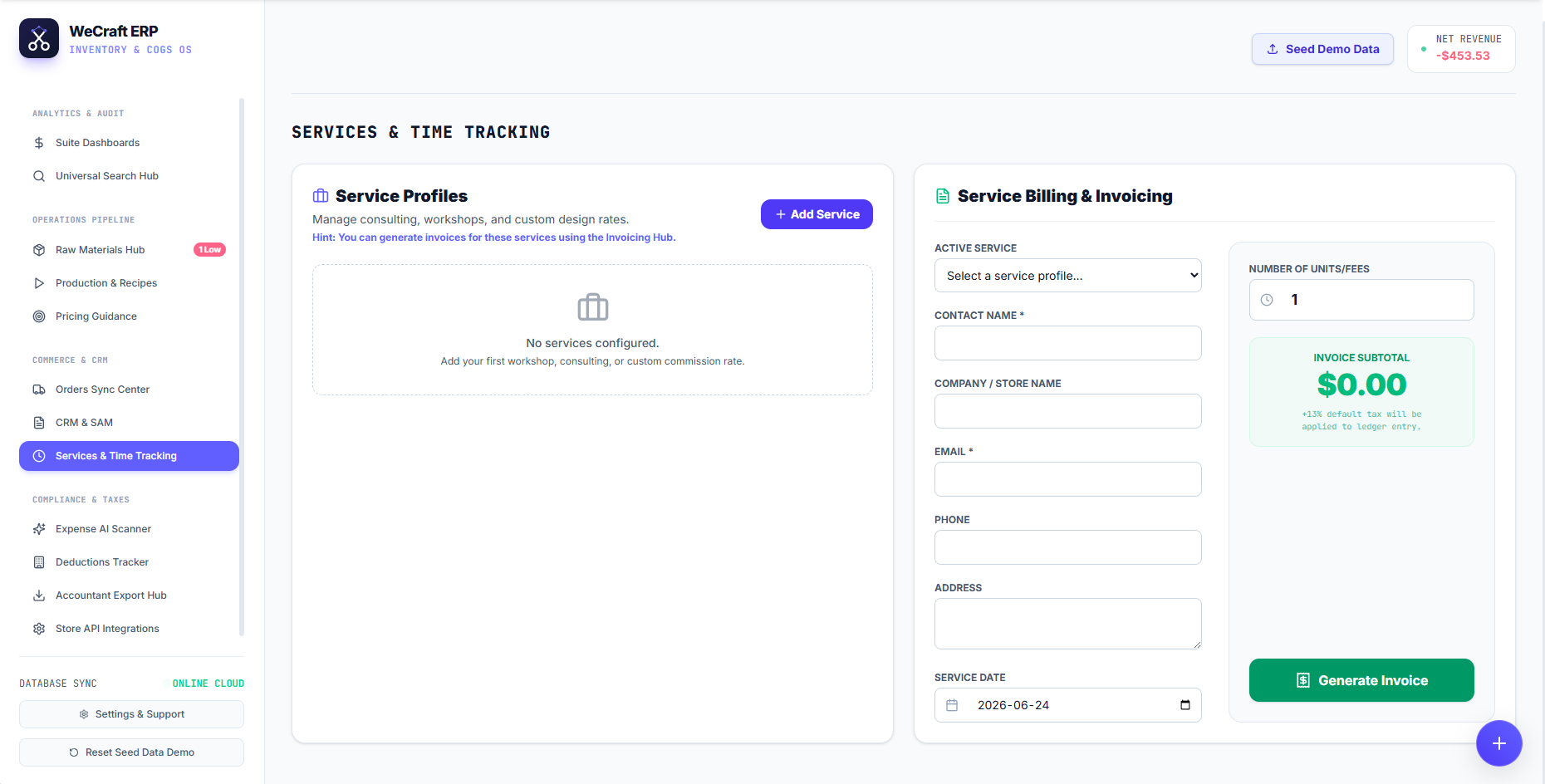
Service Billing & Invoicing
When you are ready to bill a client for your time or workshop ticket, use the Service Billing & Invoicing card on the right side of the dashboard.
- Select your configured profile from the Active Service dropdown.
- Enter the client's information (Contact Name, Company, Email).
- Select the Service Date.
- Enter the Number of Units/Fees (e.g., if you are billing for 3 hours of consulting, enter "3").
The module will automatically calculate the Invoice Subtotal, and note that a default 15% tax will be applied to the ledger entry (this is configurable in your tax settings).
Click Generate Invoice to instantly draft the bill. Because this is tracked through the Services module, Vercos will correctly categorize this income as "Service Revenue" on your Financials Dashboard rather than "Product Sales", ensuring your margins remain perfectly accurate.