When you are purchasing raw materials from international suppliers (in Kilograms) but formulating batch recipes for local domestic production (in Ounces or Pounds), mathematical errors can easily occur.
Vercos ERP provides a built-in Material Unit Converter to eliminate bad math and ensure your Bill of Materials (BOM) ratios remain absolutely perfect.
Using the Unit Converter
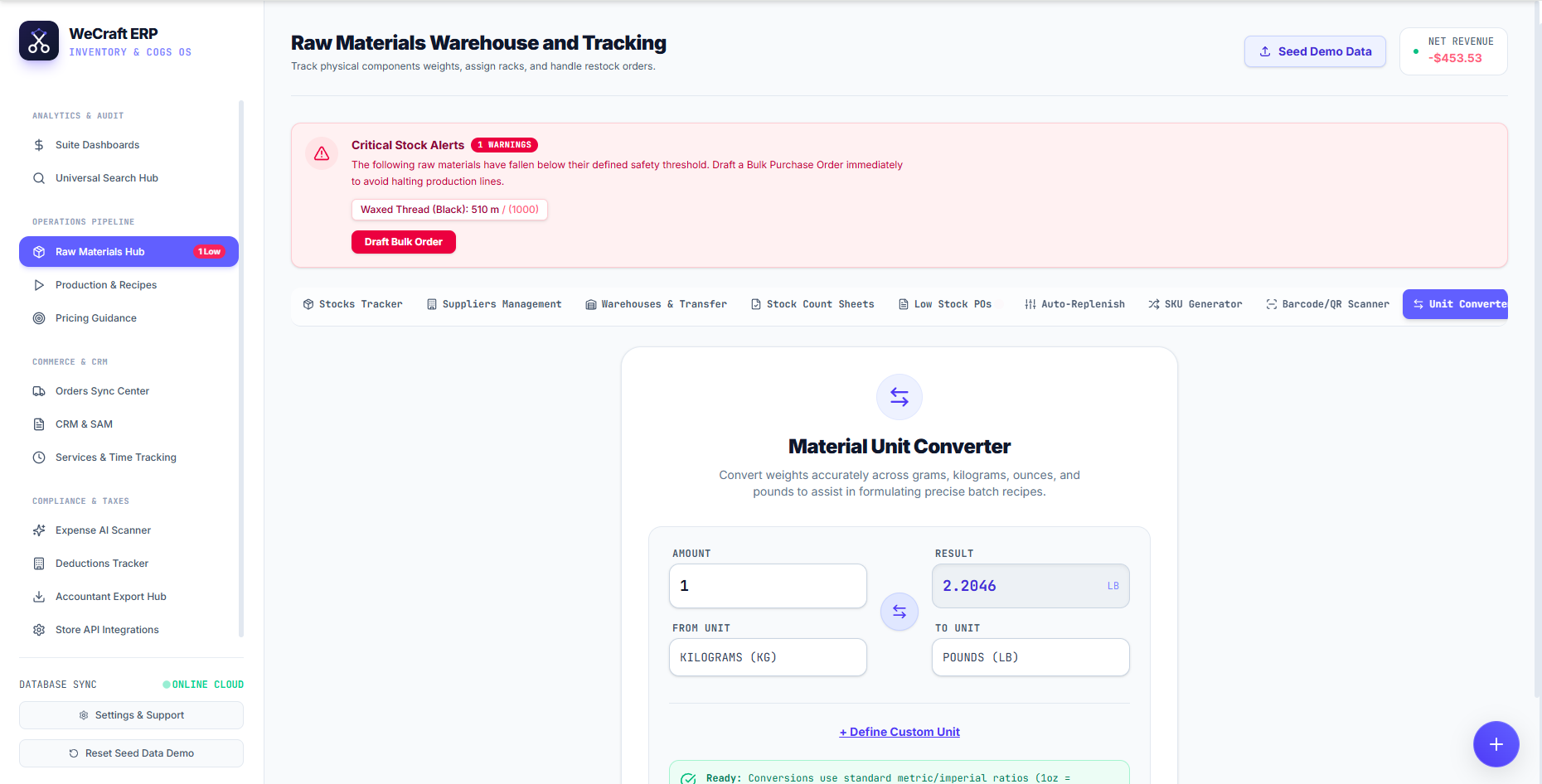
To access the tool, navigate to the Inventories & Warehouses and click the Unit Converter tab on the far right.
The converter is designed for rapid calculations during recipe formulation:
- Enter the starting quantity in the Amount field (e.g., 1).
- Select your starting measurement from the From Unit dropdown (e.g., KILOGRAMS (KG)).
- Select your target measurement in the To Unit dropdown (e.g., POUNDS (LB)).
- The system will instantly calculate the precise Result (e.g., 2.2046 LB).
You can easily reverse the calculation by clicking the circular swap icon positioned between the input fields.
Defining Custom Units
Sometimes, standard metric and imperial ratios aren't enough. If you buy liquids by the "Barrel" or yarn by the "Skein", you can click the + Define Custom Unit button below the calculator.
This allows you to create proprietary measurement units specific to your manufacturing niche, which can then be used throughout your entire Vercos ERP database!