Running out of raw materials means production stops. By managing your global vendors directly in Vercos ERP, you can streamline reordering, track vendor reliability, and organize all your sourcing contacts in one place.
The Vendor & Supplier Directory
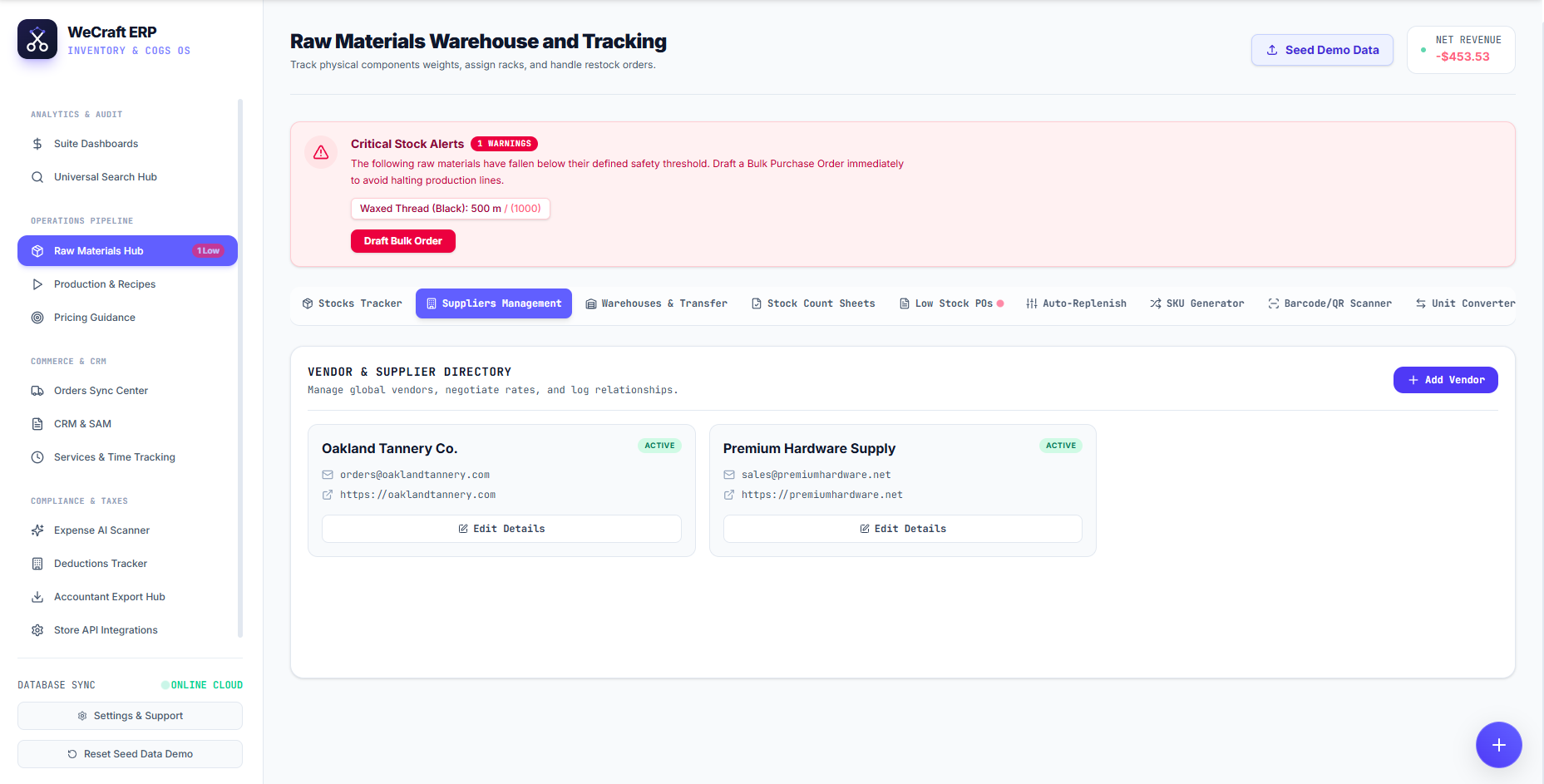
Supplier management is deeply integrated into your inventory workflow. To access it, navigate to the Inventories & Warehouses in the left sidebar and click the Suppliers Management tab.
Here, you will find your centralized Vendor & Supplier Directory.
Adding a Vendor
- Click the blue + Add Vendor button on the right side of the directory.
- Enter their contact details, support emails, and website URL.
- Once saved, the vendor card will appear in your directory with an ACTIVE badge, giving your team instant access to their sales rep emails (e.g., sales@premiumhardware.net) and website links.
- You can update their information at any time by clicking the Edit Details button on their card.
Automating Purchase Orders
Because the Supplier Management tab sits directly underneath your Critical Stock Alerts warning box, reordering is incredibly fast.
When you receive an alert that a material (e.g., Waxed Thread) has fallen below its safety threshold, you don't need to manually draft an email. Simply click the red Draft Bulk Order button. Vercos ERP will automatically identify the primary vendor linked to that material in your directory and generate a ready-to-send purchase order draft!