Your business isn't just physical inventory—it's also the expensive machinery you use to manufacture your goods. Under tax law guidelines, custom production tools or machinery exceeding $500.00 must be treated as capital assets and depreciated over their useful lifespan, rather than written off completely in month one.
Vercos ERP automates this complexity via the Deductions Tracker located in the Compliance & Taxes sidebar menu.
Amortized CapEx Asset Linear Schedule
The primary dashboard provides a real-time Linear Write-Off Deduction calculator. The system automatically identifies any eligible equipment purchases over $500 from your ledgers.
By default, when you register an asset, you can input your own custom expected lifespan in months (e.g., 60 months). The system then applies a straight-line depreciation schedule based on your input, instantly calculating your exact monthly deduction allowance to keep your books completely tax-compliant.
When tax season arrives, simply click the green Schedule C Tax Grid button to export your clean schedules.
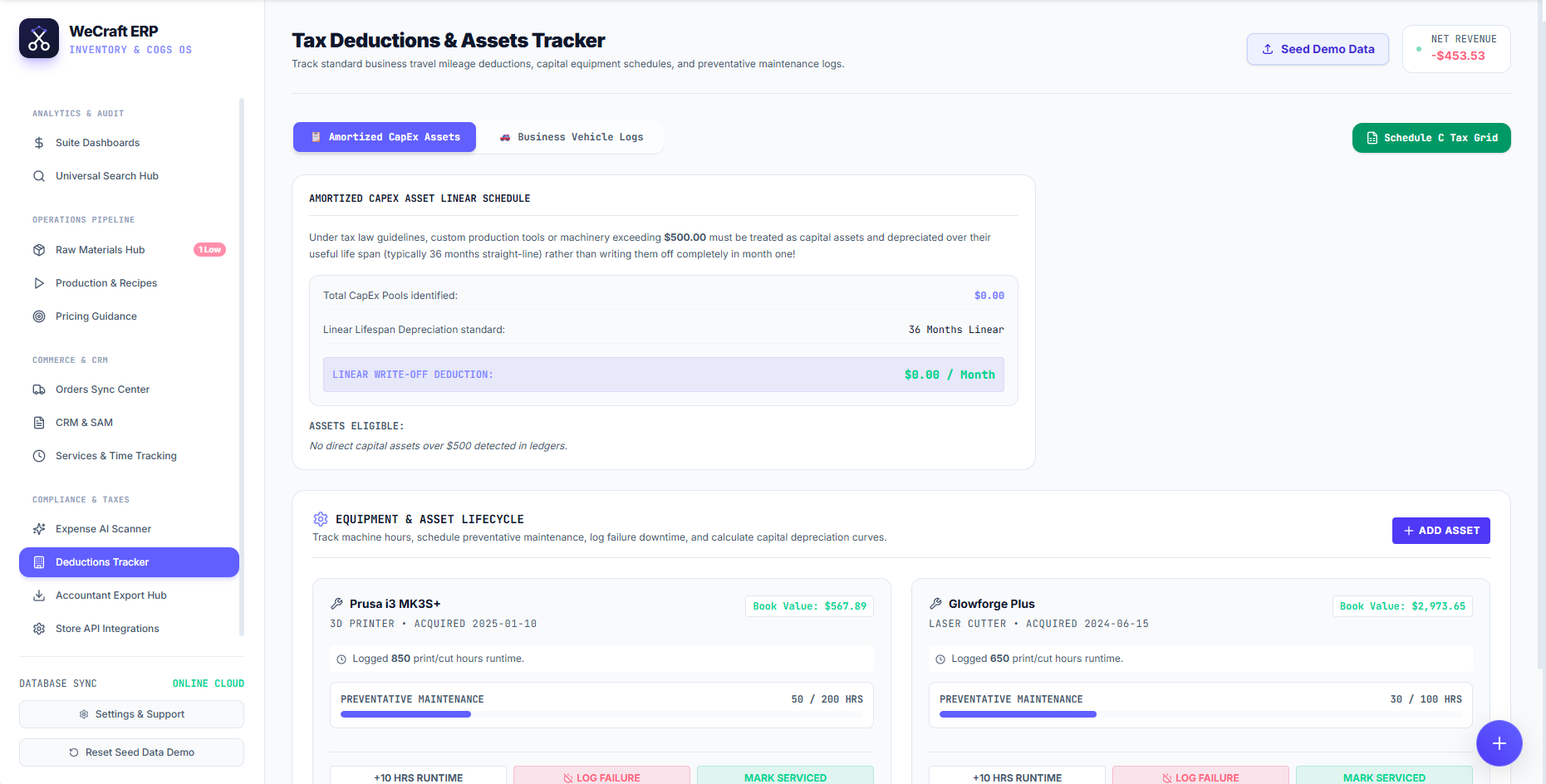
Equipment & Asset Lifecycle Tracking
If you rely on 3D Printers, Laser Cutters, or heavy machinery, uptime is critical to your revenue. Vercos ERP acts as your shop floor manager via the Equipment & Asset Lifecycle panel.
Click + Add Asset to register a machine (like a Prusa i3 MK3S+ or Glowforge Plus) and begin tracking:
- Current Book Value: Evaluates the remaining depreciated value of the hardware.
- Machine Runtime: Use the +10 Hrs Runtime button to log exactly how many print/cut hours the machine has performed.
- Preventative Maintenance: Set lifecycle thresholds (e.g., 200 hours). As you log runtime, a visual progress bar warns you when it's time to service the machine. Click Mark Serviced to reset the cycle.
- Log Failure: Instantly record any downtime or hardware failures for historical auditing.
Note: You can also track your company mileage by switching to the Business Vehicle Logs tab at the top of the dashboard!