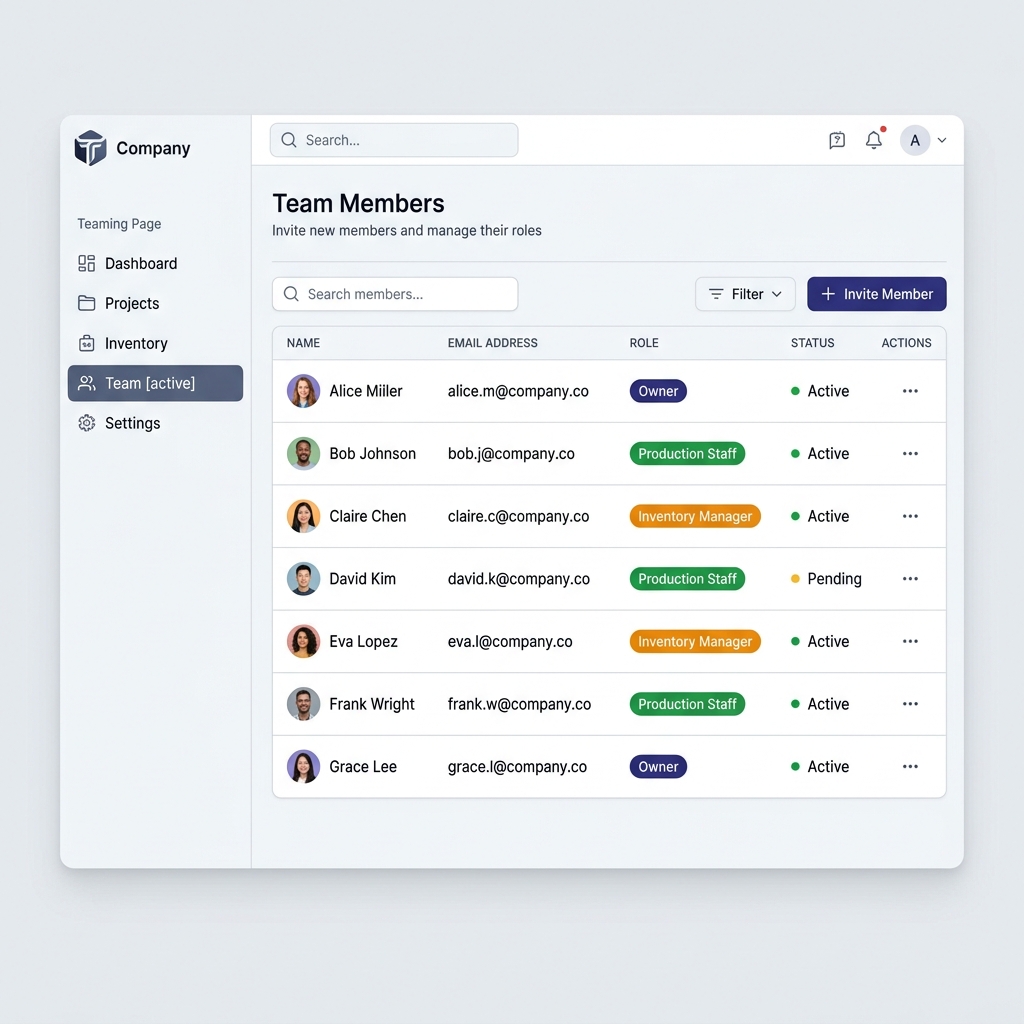
Manufacturing is a team sport. Vercos ERP allows you to invite your employees and control exactly what they can see and do.
How to Invite a User
- Navigate to Settings from the main sidebar.
- Scroll down to the Team Management section.
- Use the form to invite a member.
- Enter their email address.
- Select their Role from the dropdown.
- Click Invite Member.
They will receive an email with a secure link to join your workspace.
Understanding Roles & Permissions
Vercos ERP uses a strict Role-Based Access Control (RBAC) system.
- Owner: Full access to all settings, financials, and team management. Only owners can delete the workspace or modify billing.
- Admin: Can manage inventory, production, and sales. Cannot modify billing or delete the workspace.
- Production Staff: Can log into the production board, view recipes, and complete batch jobs. They cannot see financial data, profit margins, or sales reports.
- Inventory Manager: Can perform audits, adjust stock, and create purchase orders. Cannot see sales channels or overall financial dashboards.
Tip: If you have temporary seasonal workers, assign them the Production Staff role. They will only see what they need to build products, keeping your sensitive margins totally private.